[LNP] Step2_channel_extraction
- 이전 글
2026.10.14 - [무한도전!!/MD 시뮬레이션 돌리자!!] - [LNP] Step1_construct_core (1)
[LNP] Step1_construct_core (1)
④2026.09.29 - [무한도전!!/MD 시뮬레이션 돌리자!!] - [LNP] Step0. Inverse_Hexagonal_core 실행 준비하기 [LNP] Inverse-Hexagonal: Step0_실행 준비하기정부 과제 참여로 LNP MD 돌려야 하는데 일단 이 논문을 참고해서
www.cheonggwan.com
2026.10.21 - [무한도전!!/MD 시뮬레이션 돌리자!!] - [LNP] Step1_construct_core (2)
[LNP] Step1_construct_core (2)
- 이전 글2026.10.14 - [무한도전!!/MD 시뮬레이션 돌리자!!] - [LNP] Step1_construct_core (1) [LNP] Step1_construct_core (1)④2026.09.29 - [무한도전!!/MD 시뮬레이션 돌리자!!] - [LNP] Step0. Inverse_Hexagonal_core 실행 준비하
www.cheonggwan.com
이젠 Step2로 넘어가보자.
Step2는 Step1에서 만든 주기적 inverse-hexagonal 시스템이 실제로 수성 채널 4개로 깨끗하게 나뉘어 있는지 확인하고, 모든 원자에 "몇 번 채널 소속인지" 라벨을 붙이는 단계다. 즉, 생성된 m.gro에서 채널 4개를 각각 식별하는 단계를 맡고 있고, 이후의 Step3과정에서는 채널을 4X4X1로 복제해 64개로 만든다.
큼직하게 과정을 정리하면 아래과 같다.
1. Step1에서 평형화한 구조와 trajectory를 MDAnalysis로 불러온다.
2. mdvcontainment로 물이 들어있는 공간을 분석해 4개의 채널을 구분하고 번호를 붙인다.
3. 각 지질 분자를 가장 가까운 수성 채널에 배정한다.
4. 주기 경계 때문에 상자 양쪽으로 잘린 채널들을 mdvwhole로 다시 연결한다.
5. 이후 복제와 육각형 코어 제작에 사용할 온전한 채널 구조를 출력한다.
Inverse hexagonal 상에서는 지질이 바깥에서 연속된 매트릭스를 이루고, 물 채널이 그 안에 기둥처럼 박혀 있다.
그런데 .gro 파일에는 원자 좌표만 있고 "이 지질은 몇 번 채널을 감싸고 있다"는 정보가 없다.
이 정보를 Step2에서 계산해서 붙인다.
먼저 채널 내부만 선택한다. 물, 이온, RNA 중 지질 꼬리에서 8 Å 넘게 떨어진 것만 고른다.
지질 층 사이에 낀 물이 채널끼리 이어붙지 않게 하려는 처리다.
두번째로 채널을 분할한다.
mdvcontainment가 선택된 입자를 연결된 덩어리별로 나눈다. 결과는 바깥쪽 지질 영역과 그 안의 수성 컴포넌트들이다.
containers.plot()으로 정확히 4개가 나오는지 눈으로 확인하는 것이 핵심이다.
세번째로 나머지 원자를 배정한다.
지질처럼 선택에서 빠진 원자마다 가장 가까운 채널 물을 찾는다. 그 다음 분자 단위에서 다수결로 소속 채널을 정한다.
이렇게 해야 지질 한 분자가 두 채널로 쪼개지지 않고 통째로 한 채널에 들어간다.
결과는 cluster.npy (원자별 채널 번호 배열 / mdvwhole 입력 형식) 와 components.pdb (채널 번호를 beta 필드에 넣은 PDB / VMD에서 beta 값 별로 색칠하면 채널별로 구분해서 볼 수 있음) 가 생성된다.
그럼 이제 코드를 하나씩 뜯어 보자.
# 라이브러리 불러오기
import numpy as np
import mdvcontainment as mdvc
import MDAnalysis as mda
import freud
- 각 라이브러리의 역할
1. numpy as np : 배열 계산
노트북 전반에서 인덱스와 라벨 배열을 다룰 때 쓴다.
2. MDAnalysis as mda : 구조 파일 읽기와 원자 선택
MD 시뮬레이션 데이터를 다루는 기본 라이브러리다.
3. mdvcontainment as mdvc : 채널(컴포넌트) 분할
MDVConatinment는 주기 경계 조건(PBC)을 고려해 시스템을 3D 밀도 격자로 만들고, 서로 연결되거나 서로를 감싸는 영역(컴포넌트)을 찾아내는 도구다.
4. freud : PBC를 고려한 빠른 이웃 탐색
입자 시뮬레이션 분석용 라이브러리이며, 여기서는 최근접 이웃 검색에만 쓴다.
# Step 1: Load the data
또 무시무시한 경고가 있다...
## Importat note: Please do not proceed if you are not familiar with MDAnalysis.
### You can learn more about MDAnalysis here: https://www.mdanalysis.org/
MDAnalysis에 대해서는 아래 사이트에서 공부할 수 있다고 한다.
MDAnalysis · MDAnalysis
The MDAnalysis Project develops open-source tools for the analysis of molecular simulation data, providing researchers with efficient and accessible solutions for studying molecular structures and dynamics. MDAnalysis is a fiscally sponsored project of Num
www.mdanalysis.org
아무튼 코드를 살펴보자.
universe = mda.Universe('m.gro')
# Some quick and dirty selection string, until I get 4 components of water sitting in the lipids (as seen in the plot below)
selection_string = 'name W WF ION NA CL BB BB1 BB2 BB3 SC1 SC2 SC3 SC4 SC5 SC6 and not around 8 (name CA1 CB1 C3A C3B D3A D3B)'
selection = universe.select_atoms(selection_string)
print(len(selection))
이 단계의 목적은 다음 단계인 mdvcontainment에 넘길 수성 채널 내용물만 골라내는 것이다.
Universe = mda.Universe('m.gro')
Step1_construct_core.ipynb 에서 만들고 minimize/MD를 거친 Martini CG 구조를 불러온다.
.gro 에는 topology가 없지만 MDAnalysis 가 잔기 이름, 원자(비드) 이름, 좌표, 박스를 읽어온다.
selection_string = '...'
두 조건을 and not 으로 묶은 문자열이다.
조건 1 ) ' ' 사이에 나열된 이름 중 하나라도 맞으면 선택된다.
그룹별 의미는 다음과 같다.
- W, WF: Martini 물과 antifreeze 물
- ION, NA, CL : 이온 (Martini 버전에 따라 이름이 다름)
- BB, BB1-3, SC1-6 : RNA의 backbone과 염기 비드
결국, 채널 안에 있어야 할 것 전부(물 + 이온 + RNA)이다.
* 주의 : 이름 기반이라 다른 분자에 같은 비드 이름이 있으면 함께 잡힌다.
조건 2) not around 8 Å
X에 속한 원자로부터 8 Å 이내에 있는 원자를 뜻한다.
X 자신은 포함되지 않고, 박스 정보가 있으면 PBC를 고려한다.
괄호 안은 지질 소수성 꼬리 비드이다. 이는 지질 고리 영역에 섞여 들어간 물/이온을 빼기 위함이다.
이런 물이 있으면 채널 사이를 이어 붙여서 mdvcontainment가 채널 4개를 하나로 볼 수 있다.
# Some quick and dirty selection string, until I get 4 components of water sitting in the lipids (as seen in the plot below)
이 안내는 채널이 4개로 나올 때까지 이 cutoff나 이름 목록을 손으로 조정하라는 뜻이다.
selection = universe.select_atoms(selection_string)
이 코드는 조건에 맞는 원자를 AtomGroup으로 반환한다.
print(len(selection))
선택된 비드 수를 출력한다.
이상하게 적게 나오면 이름이 틀렸는지, cutoff가 너무 큰지 1차로 점검하는 용도이다.
# Step 2: Create containers (make sure you have 4 channels)
또 무서운 경고가 있다.
## Importat note: Please do not proceed if you are not familiar with mdvcontainment.
### You can learn more about mdvcontainment here: https://github.com/BartBruininks/mdvcontainment
https://github.com/BartBruininks/mdvcontainment
GitHub - BartBruininks/mdvcontainment: Robust characterization of inside and outside in periodic spaces.
Robust characterization of inside and outside in periodic spaces. - BartBruininks/mdvcontainment
github.com
여기에서 mdvcontainment 에 대해서 알아볼 수 있다고 한다.
그럼 이제 코드를 봐보자.
containers = mdvc.Containers(selection, resolution=0.5, blur_amount=1)
앞 단계에서 고른 selection (물, 이온, RNA 비드) 을 3D 격자(voxel)로 바꾼다.
그 다음 서로 이어진 영역(컴포넌트)을 찾고, 어느 영역이 어느 영역을 감싸는지 나타내는 containment graph를 만든다.
| 인자 | 의미 |
| selection | 밀도로 취급할 원자들. 이 원자가 있는 칸은 양수 라벨, 없는 칸은 음수 라벨이 된다. |
| resolution=0.5 | voxel 한 번의 목표 크기, nm 단위. 실제로는 박스가 나누어 떨어지도록 조정됨. |
| blur_amount=1 | 구멍 메우기(closing)를 몇 번 할지. |
- 내부 처리 단계
1 - Voxelization
박스 전체를 resolution 크기의 정육면체 격자로 나눈다.
selection 원자가 하나라도 들어 있는 voxel은 1(채워짐), 나머지는 0(빈공간)이 된다.
2 - Blur
blur_amount 횟수만큼 채워진 영역을 이웃 voxel로 조금씩 넓힌다.(dilation과 비슷함)
원자 사이의 작은 빈틈이 메워져서 채워진 영역이 끊기지 않게 된다.
3 - Connected component labeling
채워진 voxel과 빈 voxel을 각각 서로 연결된 덩어리로 묶고 번호를 붙인다.
주기 경계 조건(PBC)을 고려하므로, 박스 경계를 넘어 이어진 덩어리도 하나로 취급된다.
4 - Containment 계산
위상(topology) 정보를 이용해 어떤 component가 다른 component에 둘러싸여 있는지 판단한다.
PBC에서는 "안/밖"이 자명하지 않아서 이 계산이 패키지의 핵심이 된다.
5 - 그래프 생성
결과는 containers.containment_graph (network 그래프)로 저장된다.
노드는 component이고, 간선은 "부모가 자식을 포함함"을 뜻한다.
각 노드에는 해당 영역의 원자들이 'atoms' 속성 (AtomGroup)으로 붙는다.
아래 코드는 위에서 만든 containment graph를 시각화한다.
다음 단계로 넘어가기 전에 공간이 의도한 대로 나뉘었는지 확인하는 용도다.
containers.plot()
그래프를 확인해보면 아래와 같다.
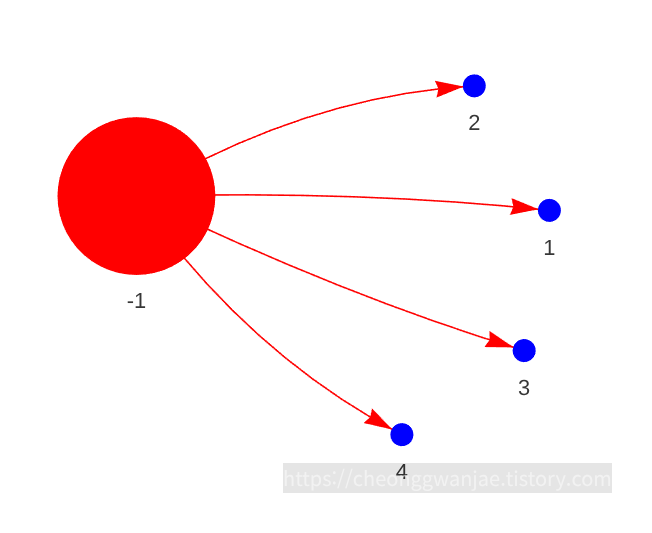
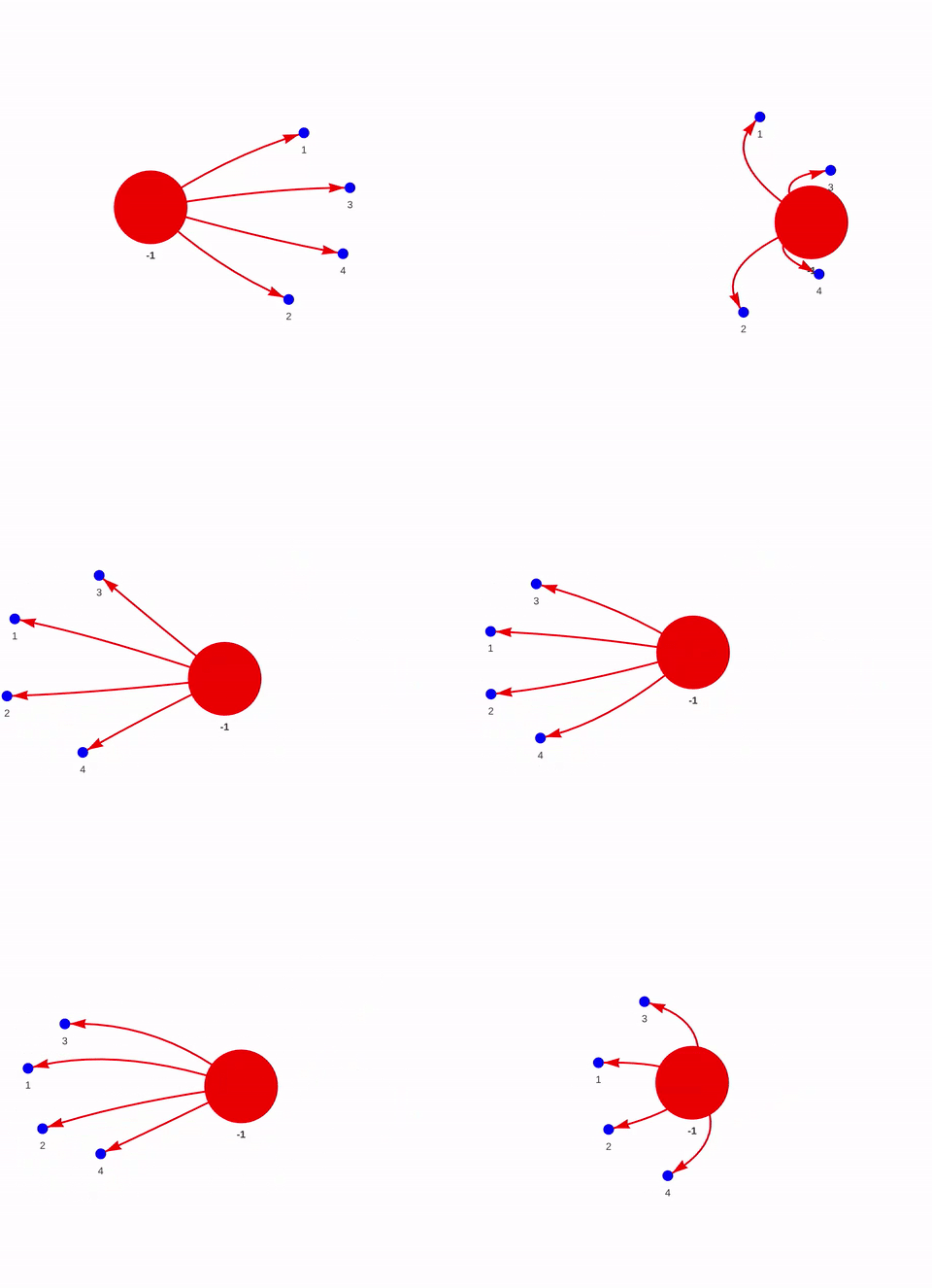
채널이 4개보다 많으면 채널이 잘게 쪼개진 것이다. blur_amount를 올리거나 resolution을 키운다.
채널이 4개보다 적으면 채널끼리 합쳐진 것이다. blur_amount를 줄이거나 resolution을 작게 하거나, 선택 문자열의 around 8 거리를 키워보는 것이 추천된다.
- Group all residues by their dominantly closest solvent component
Step 2에서 MDVContainment는 선택된 물/이온 원자에만 채널 ID를 붙여준다.
지질같은 나머지 원자는 아직 어느 채널에도 속하지 않은 상태이다.
따라 이 섹션은 나머지 원자 전부를 가장 가까운 물 채널에 배정한다. 배정은 residue 단위의 다수결로 해서 분자가 쪼개지지 않게 한다. 결과는 원자별 라벨 배열로 저장되고, 다음 단계(mdvwhole)에서 채널을 PBC에 맞춰 온전하게 만드는데 쓰인다.
- Component 분류
# Get all components
components = containers.get_components()
# Get the lipid components by appreciating they are the outside
lipid_components = containers.get_root_components()
# Get the solvent components by appreciating they are not an outside
solvent_components = sorted(set(components) - set(lipid_components))

print(f'Lipid components: {lipid_components}\nSolvent components: {solvent_components}')
- get_components() : 모든 component ID를 가져온다.
- get_root_components() : 아무것도 감싸지 않은 가장 바깥 영역이다. 이는 지질 기질로 간주된다.
- 나머지(포함된 영역)는 물 채널로 본다. 정상이라면 4개가 나온다.
- Component 별 원자 꺼내기
# Appreciate that the atomgroups are bound to the nodes in the containment graph
lipid_atomgroups_dict = dict(zip(lipid_components, [containers.containment_graph.nodes(data=True)[component]['atoms'] for component in lipid_components]))
solvent_atomgroups_dict = dict(zip(solvent_components, [containers.containment_graph.nodes(data=True)[component]['atoms'] for component in solvent_components]))

print(f'Lipid atomgroups: {lipid_atomgroups_dict}\nSolvent atomgroups: {solvent_atomgroups_dict}')
그래프의 각 노드에 저장된 AtomGroup을 꺼내 {component ID: AtomGroup} 딕셔너리를 만든다.
여기서 lipid_atomgroups_dict 는 만들어지기만 하고 이후에 쓰이지 않는다.
- 최근접 이웃 함수 : query_neighbors(A, B)
def query_neighbors(A, B, num_neighbors=1, exclude_ii=True):
    """
    Returns the closest index A with respect to B using the universe indices.

    A and B are atomgroups. Exclude_ii excludes the self contact.
    """
    universe = A.universe
    # Create the Freud AABB data structure for each solvent atomgroup
    box = mdvc.containment.Periodic(universe.dimensions)
    aq = freud.locality.AABBQuery(box.pbc_freud, A.positions)
    # Query the lipids against the solvent atomgroup
    query_results = aq.query(B.positions, dict(num_neighbors=num_neighbors, exclude_ii=exclude_ii))
    # Return the atom indcices and not the index in the list (TODO)
    output = np.array(query_results.toNeighborList())
    output[:,0] = B[output[:,0]].ix
    output[:,1] = A[output[:,1]].ix
    return output
- freud의 AABBQuery (공간 분할 트리) 를 A의 좌표로 만들고, B의 각 원자에 대해 가장 가까운 A 원자를 찾는다. PBC도 반영된다. 결과는 [B 원자 ix, A 원자 ix] 쌍이다. freud가 돌려주는 리스트 내 위치(0, 1, 2, ...)를 universe 전체 기준 인덱스(.ix)로 바꿔서 반환한다.
- 최근접 물 원자 찾기
# Get the closest solvent index for every lipid atom.
contacts = query_neighbors(selection, universe.atoms-selection, exclude_ii=True)
print(contacts)
selection 에 들지 않은 원자(지질, 꼬리 근처 8 Å 안에 있어 빠진 물 등) 하나하나에 대해 가장 가까운 selection 원자를 찾는다.
- 원자 → 채널 ID 변환
# Create a mapping dict which maps every solvent index to a component ID.
ix_solventID_dict = {}
for solvent_component in solvent_components:
    for atom in solvent_atomgroups_dict[solvent_component]:
        ix_solventID_dict[atom.ix] = solvent_component
{물 원자 ix: 채널 ID} 조회 표를 만든다.
# Replace the closest solvent atom with the closest solvent component ID.
component_contacts = contacts.copy()
component_contacts[:,1] = np.vectorize(ix_solventID_dict.get)(component_contacts[:,1])
print(component_contacts)
contacts의 두 번째 열 (최근접 물 원자 ix)을 그 원자의 채널 ID로 바꾼다.
# Map the lipid indices to a component ID
lipidix_solventID_dict = dict(zip(component_contacts[:,0], component_contacts[:,1]))
lipidix_solventID_dict
{나머지 원자 ix: 채널 ID} 딕셔너리를 만든다.
여기까지가 원자 단위 배정이다.
현재까지 마무리되면 지질 한 분자의 머리는 채널 1, 꼬리는 채널 2처럼 분자가 쪼개질 수 있다.
- Residue 단위 다수결
# Determine the dominant nearest component per residue (to make sure they are whole).
leftovers = universe.atoms - selection
dominant_component_per_residue = {}
for residue in leftovers.residues:
components = {}
for component in solvent_components:
components[component] = 0
for atom in residue.atoms:
try:
components[lipidix_solventID_dict[atom.ix]] += 1
except KeyError:
continue
# We do not want to assign a component if they are all 0.
if sum(components.values()) == 0:
continue
dominant_component_per_residue[residue.ix] = max(components, key=components.get)
- 한 residue 안의 원자들이 각자 가까운 채널에 투표하고, 가장 많은 표를 받은 채널이 그 residue 전체의 채널이 된다.
- residue에 selection 원자가 섞여 있으면 그 원자는 딕셔너리에 없어 KeyError가 나고, 투표에서 빠진다. ( except: continue ).
예를 들자면 BB bead만 선택된 단백질 residue가 그렇다.
- 모든 채널이 0표인 residue는 건너뛴다.
- 전체 라벨 배열 만들기
# Make the label array for the complete universe
universeix_components = np.zeros(len(universe.atoms))
원자 수만큼 0으로 채운 배열을 만든다. 0은 미배정이라는 뜻이다.
# Fill in the known components
for component in solvent_components:
    universeix_components[solvent_atomgroups_dict[component].ix] = component
물 원자에 containment에서 얻은 채널 ID를 넣는다.
# Quick sanity check, indeed we have assigned all the solvent components now
dict(zip(*np.unique(universeix_components, return_counts=True)))
# Add all the non solvent label based on their closest dominant residue component per residue.
for residue in leftovers.residues:
universeix_components[residue.atoms.ix] = dominant_component_per_residue[residue.ix]# Quick sanity check, indeed we have assigned all the non solvent components now.
dict(zip(*np.unique(universeix_components, return_counts=True)))
np.unique 로 라벨 별 원자 수를 확인한다.
마지막 확인에서 0이 사라졌다면 전부 배정된 것이다.
- 저장
# We can now write this as a labeling array which can be used by mdvwhole
universeix_components = np.array([universeix_components], dtype=int) # it expects an array for every frame
np.save('clusters.npy', universeix_components)
clusters.npy : shape (1, N원자) 인 int 배열이다. mdvwhole이 프레임마다 라벨 배열 하나를 받기 때문에 바깥 차원이 1이다.
# Write the labeled universe as a PDB
universe.add_TopologyAttr('tempfactors')
universe.atoms.tempfactors = universeix_components[0]
universe.atoms.write('components.pdb')
components.pdb : 채널 ID를 B-factor(tempfactor) 칸에 넣은 구조 파일이다. VMD나 PyMOL에서 B-factor로 색칠하면 채널ㄹ별 분할을 눈으로 확인할 수 있다.
universe.atoms.tempfactors
드디어 Chater 2 끝냈다!!!
근데 뭔가 그냥 제대로 이해하고 넘어가는 느낌은 아니라서 나중에 다시 공부해야할 듯;;